The 5 Cyber Threats That Actually Hit Small Businesses
 Declan Mahjoub
Forget nation-state hackers and Hollywood plots. These are the five attacks we see in real SMB inboxes every week.
Walk into a security conference and you'll hear about advanced persistent threats and zero-day exploits. Walk into the average small business that just got hit, and the story is much shorter. "Someone clicked a link." "We don't know how they got in." "The email looked real."
These are the five threats we actually see hitting small businesses, ranked roughly by how often they show up in our inbox.
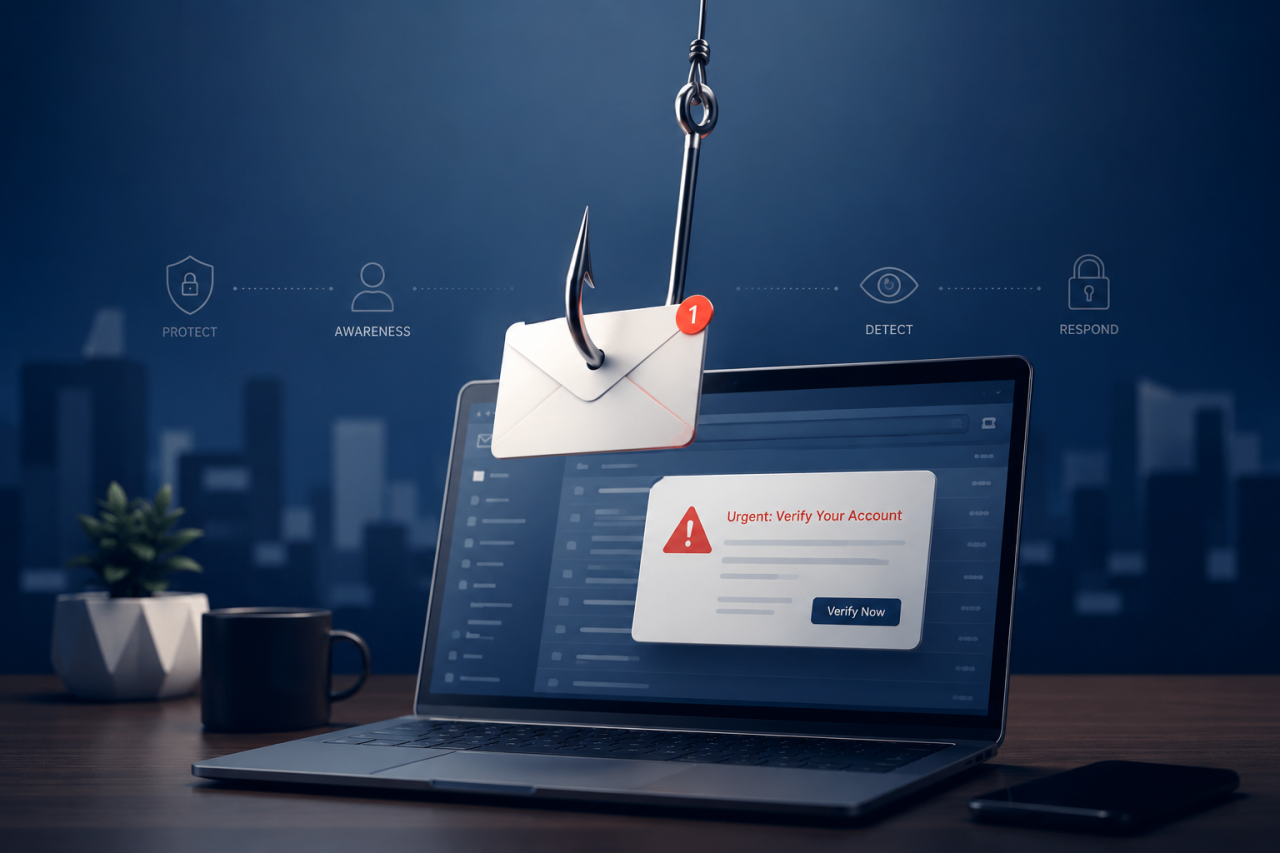
1. Phishing emails. Still.
Phishing has been the top SMB attack for over a decade and it's not slowing down. Roughly a third of SMB breaches start with someone clicking a bad link or typing their password into a convincing fake page.
What's changed is the polish. The old advice was "watch for typos and weird grammar." That stopped being reliable around 2023. Today's phishing is written by AI, branded perfectly, and sometimes carried out as an active back-and-forth conversation with the victim. You won't catch every fake email by eye anymore. The defense is to assume some get through, then make sure one click can't end the company. Translation: MFA, security-aware staff, and modern endpoint protection on every machine.
2. Ransomware
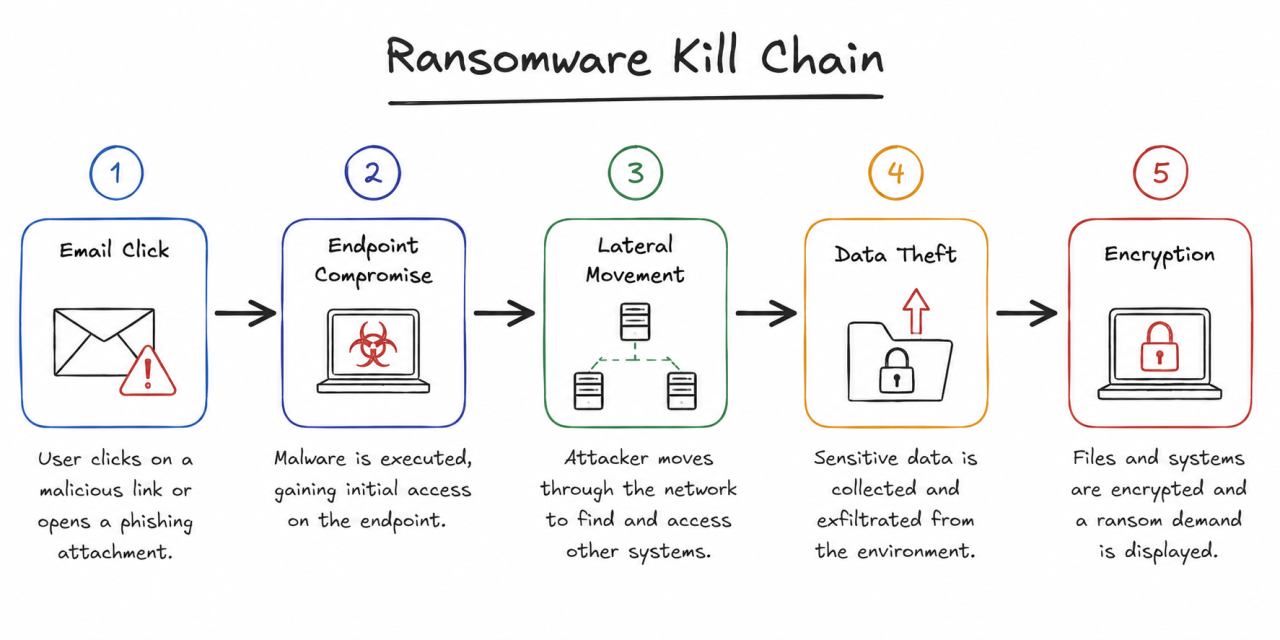
Ransomware locks up your files and demands payment to unlock them. The newer wrinkle is that attackers also steal data first and threaten to publish it. So even if your backups are perfect, you're still on the hook for the leak. Verizon's most recent breach report found ransomware involved in around 88% of SMB breach incidents. It's effectively the default payload now.
Defending against it is layered. Patch your software (especially anything internet-facing). Run real EDR, not legacy antivirus. Segment your network so the receptionist's PC can't reach the accounting server. Keep at least one backup copy offline or immutable. None of these alone is enough. Together they make a ransomware actor's job miserable, which is the whole point.
3. Business email compromise (BEC)
BEC is the one that empties bank accounts. An attacker either takes over a real email account (yours, your bookkeeper's, a vendor's) or convincingly impersonates someone, then uses that trust to redirect a wire transfer or trick someone into paying a fake invoice. The FBI consistently lists BEC as the most expensive scam category they track.
Two ingredients defend against it. First, identity hygiene: MFA, alerts on suspicious mailbox forwarding rules, fast offboarding when staff leave. Second, a payment-change policy with teeth. "Vendor banking details only change after a phone call to a number we already had on file." That single rule alone has saved more SMBs than any security tool we could install.
4. Credential stuffing and password reuse
When a website you've used in the past gets breached, your password ends up on a list traded among criminals. They feed that list into automated tools that try logging into every popular service. If you reused that password anywhere (and most people do), those accounts open right up.
The fix is unsexy. Get a password manager. Use unique passwords for everything. Turn on MFA wherever it's offered. Bonus credit if you start moving to passkeys for your most sensitive logins, since those can't be phished or stuffed at all.
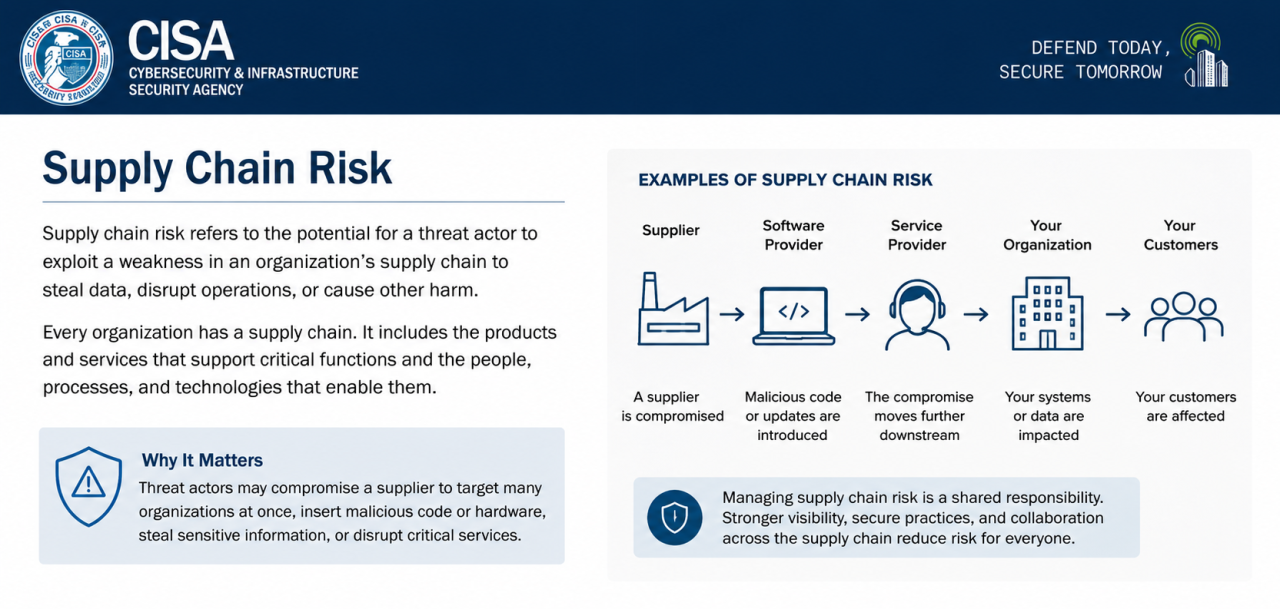
5. Vendor and supply chain compromise
Even if your own house is in order, an attacker can come in through a vendor. Your managed IT provider gets breached. Your accounting platform's authentication system has a vulnerability. The marketing tool you connected to your customer database last spring quietly leaks data for six months before anyone notices.
You can't audit your vendors like a bank would, but you can ask the basic questions. Do you require MFA for staff? Do you encrypt our data at rest? What's your incident response process? How fast will you notify us if you're breached? Even just asking changes vendor behavior. It also gives you something to point to in your own records if something goes wrong.
A note about "vendor fatigue" and shiny objects
Every week a small business owner forwards me a marketing email selling some AI-powered next-gen something or other. The pitch is always the same. Big scary statistics, then a button. Most of these tools are real products that solve real problems, but very few of them solve the problems that actually take down small businesses.
If you're choosing where to spend your security dollars, I'd put 80% of it on the basics that prevent the five threats above (MFA, EDR, backups, patching, training, a payment-change policy) and 20% on more advanced tooling once those basics are running well. Buying the fancy stuff first is like installing a high-end alarm system on a house with no doors.
What to do this month
If reading all five made you anxious, take a breath. You don't need to defend perfectly against every threat by next Friday. Pick the one that worries you most, do a thirty-minute audit of where you stand, and close the biggest gap this week. Repeat next week with the next threat. That's literally how SMB security gets built. One ugly week at a time.
If you're not sure which threat to prioritize, here's a starting heuristic. If you handle wire transfers regularly, BEC and phishing first. If you depend on file-based work (CAD files, large media, legal documents), ransomware and backups first. If your team has a lot of remote workers or contractors, credential hygiene and MFA first. The right answer is the one closest to your daily reality.
If you read all that and thought "okay, but where do I actually start?" reach out. We do quick, no-pressure reviews for small businesses every week. Tell us where you are, we'll tell you the two or three things worth doing first, and you can take it from there. Visit siemekconsulting.com or drop us a note. We answer our own emails.
Categories: : Cybersecurity